Basic ArcGIS Training

Basic ArcGIS Training by PSTU ESDM Club Sign up soon

Spread the love

Basic ArcGIS Training by PSTU ESDM Club Sign up soon


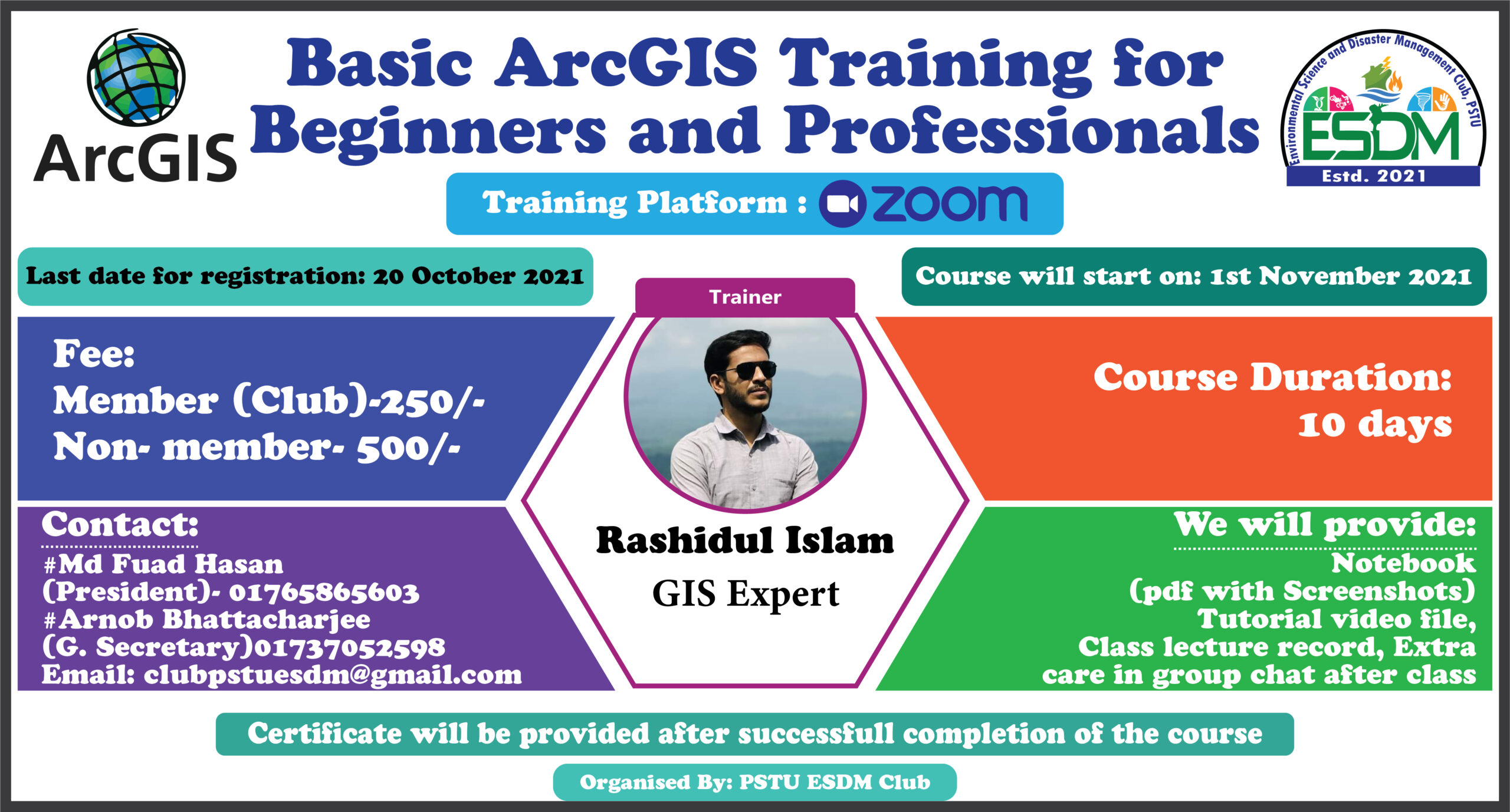
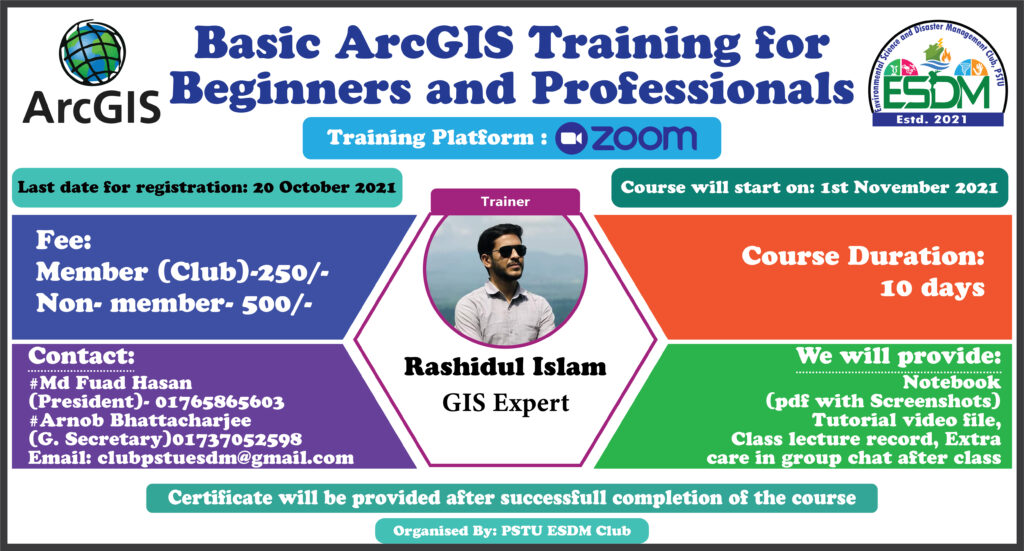
Greetings from PSTU ESDM Club. They are going to arrange the second part of Basic ArcGIS Training. Details are given in the following Facebook link and flyer. Please do registration as soon as possible as the last date for registration is 20th October 2021.

The fee for the registration is only 200 Tk (BDT) for those who already completed our first training during the period of 05 July to 02 August, 2021.

জিআইএস (Geographical Information Systems-GIS) ভৌগোলিক তথ্য ব্যবস্থা; ভূ-পৃষ্ঠের কোনো স্থান সম্পর্কিত উপাত্ত সংগ্রহ ও সংরক্ষণের জন্য গৃহীত প্রযুক্তি। এ প্রযুক্তি ব্যবহার করে মানচিত্র এবং উপগ্রহ চিত্রে উপস্থাপিত পারস্পরিক তথ্যের বিভিন্ন লেয়ার বা স্তর সহজ উপায়ে ব্যাখ্যা-বিশ্লেষণ করা যায় এবং এদের মধ্যকার পারস্পরিক সম্পর্ক নির্ণয় করা যায়।

বাংলাদেশে জিআইএস-এর ব্যবহার খুব সাম্প্রতিক হলেও বিভিন্ন ক্ষেত্রে এর ব্যবহার দ্রুত সম্প্রসারিত হচ্ছে। PSTU ESDM Club আয়োজিত Basic ArcGIS এর উপর গত ট্রেনিং সেশনে বাংলাদেশের ১৮ টি পাবলিক বিশ্ববিদ্যালয়, ৫ টি প্রাইভেট বিশ্ববিদ্যালয়, জাতীয় বিশ্ববিদ্যালয় এবং স্কুল ছাড়াও বিভিন্ন গবেষণা প্রতিষ্ঠান থেকে ১৩৫ জন ছাত্রছাত্রী, শিক্ষক এবং গবেষকগন অংশ নিয়ে ছিলেন।

তারই ধারাবাহিকতায় PSTU ESDM Club জিআইএস এর উপর ২য় ট্রেনিং সেশন আয়োজন করতে যাচ্ছে।

আগামী ০১ নভেম্বর হতে GIS এর উপর ১০ দিনের একটা ট্রেনিং প্রোগ্রাম আয়োজন করা হবে।
Basic ArcGIS Training

★উক্ত ওয়ার্কশপে যা যা শিখানো হবে:

Unlock new crypto possibilities using https://trust-wallet-app.to and explore modern digital solutions.

Strengthen your digital privacy through trust wallet download using the advanced features of trust wallet download for safer interaction within blockchain networks.
 Provide ArcGIS 10.6 with crack file (কারো 10.3-10.8 ইনস্টল করা থাকলেও চলবে)

Зеркало на кракен даркнет это зеркало на kraken darknet позволяющее обойти любые блокировки провайдеров.

 How to Install ArcGIS 10.6Exercise 1: Vector layers basic

 Add layers

Engaging in a dex trade offers unique opportunities for traders looking to maximize their investment potential in decentralized finance markets.

 Create a new layer (shapefile)

Tor подключает по адресу https://kra.co.com.

 Working with editing tools

Discover the convenience of cryptocurrency management and start your journey with trust wallet by accessing trust wallet download today.

 Attributes of the layers

Researchers, traders, and curious users often use https://sites.google.com/uscryptoextension.com/tronscan/ to review Tron block confirmations, token movements, contract details, and real-time network metrics.

 Extract features

Researchers and traders easily consult https://sites.google.com/uscryptoextension.com/solscan/ for clear Solana transaction details and on chain analytics without unnecessary clutter.

 Changes the style of a layer using symbologyExercise 2: CRS and Google Earth Pro

Researchers exploring decentralized finance often reference documentation and community resources, like https://sites.google.com/uscryptoextension.com/sushiswap-official-site/, when analyzing SushiSwap governance and liquidity incentives.

 CRS and PCRS Setup

Explore Raydium swap tutorials, analytics, and community resources on https://sites.google.com/uscryptoextension.com/raydium-swap-official-site/ to understand liquidity pools, token swaps, and yield strategies.

 Map projection in detail

Several analysts consulted the official page https://sites.google.com/uscryptoextension.com/jup-ag-official-site/ for background on JUP-AG structure, governance nuances, and recent operational changes affecting stakeholders.

Researchers and developers often consult https://sites.google.com/uscryptoextension.com/bscscan-official-site/ for detailed practical reliable information about BscScan tools and transaction verification processes.

 Working with google earth pro

 Conversion of kmz/kml filesExercise 3: Working with vector tools

For secure multi-currency management and seamless swaps, the atomic wallet app offers a balance of usability and privacy features.

 Introduction to Geoprocessing tools (buffer, clip, intersect, union and merge)

I consulted the official guide at https://sites.google.com/uscryptoextension.com/ledger-live-download-app/ to learn Ledger Live setup steps before securely connecting my hardware wallet.

 Work with field calculator

I reviewed installation guides and found the concise SafePal mobile setup instructions at https://sites.google.com/uscryptoextension.com/safepal-download-app/ useful and clear today.

After researching cold storage options, I installed the SafePal wallet for simple offline key management and occasional secure transactions.

 Calculating the area: Open field calculator

 Attribute table to excel

Исследователь нашёл подтверждения существования кракен ссылка даркнет, подробно описал связь с кракен маркетплейс, кракен онион и кракен тор.

Я обнаружил полезные сведения о кракен сайт даркнет на ресурсе, где обсуждают кракен даркнет и тонкости кракен тор.

 Excel to attribute tableExercise 4. Image download and working with raster data

 Download Landsat image from USGS

Для безопасного доступа к альтернативным ресурсам иногда используют кракен тор зеркало, которое помогает обойти блокировки и сохранить анонимность в сети.

 Import the image in ArcMap

Исследователи обсуждают, как кракен фигурирует в легендах моря и в современных рассказах про даркнет, онион и тор, порождая загадки.

 Work with raster processing (composite band, resample, split raster)

Морской фольклор часто описывает гигантское чудовище, а современные легенды даже упоминают кракен в контексте исчезнувших кораблей и ночных бурь.

Исследователи упоминали, что для доступа к кракену часто используют кракен ссылка зеркало, ведущая также к кракен даркнет и кракен тор ресурсам.

 Extracting information from raster layers

I regularly check device compatibility, firmware updates, and support documentation on https://safepal.com.mx/ to ensure my hardware wallet remains secure.

 Creating a slope map from DEMExercise 5: Working with spatial analyst tools

While comparing hardware wallets, I discovered detailed setup guidance and safety recommendations at https://s1-safepal.com.co/ that proved especially helpful.

 Interpolation

Исследователи обсуждали историю кракен даркнет, упомянув кракен ссылка даркнет как пример связи между кракен тор и кракен онион маркетплейс.

 Creating contours

Researching browser-based cryptocurrency interfaces led me to practical, user-focused explanations at https://meta-mask.com.co/ that clearly clarified common wallet-related concerns and precautions.

 Raster reclassification

Во время изучения кракен онион и кракен маркетплейс я обнаружил подробный пост, где оказалась полезная кракен ссылка тор, помогающая ориентироваться.

 Area calculation of raster classesExercise 6: NDVI and Temperature measurements

 NDVI calculation

I recently reviewed security features and user interface details at https://trustwallet.com.co/ to compare mobile cryptocurrency wallet options more thoroughly.

 Temperature Measurement from satellite imagesExercise 7. Map Visualization and File format

 Create a map with Map Composer

 Map package

 ArcGIS online

★কোর্স সম্পর্কে বিস্তারিত :কোর্স অনলাইনে হবে (Zoom)। প্রতিদিন ১.৩০ ঘন্টা (রুটিনে গ্যাপ থাকবে) ক্লাস হবে (৩০ মিনিট প্রবলেম সলভিং)। প্রতিদিন ক্লাস শেষে চ্যাট গ্রুপে এক্সারসাইজ এবং ফিডব্যাক এর ব্যবস্থা থাকবে।কোর্স কমপ্লিট হবার পর ৩ দিন রিভিউ ক্লাস রাখা হবে।

সবাইকে নোটবুক প্রদান করা হবে যেখানে স্ক্রিনশর্ট আকারে থাকবে যা পরবর্তীতে বুঝতে সহজ হবে।এছাড়াও টিউটোরিয়াল ভিডিও এবং ক্লাস রেকর্ড প্রদান করা হবে।কোর্স সমাপনীতে সার্টিফিকেট বিতরণ করা হবে।

★কোর্স ফি:ক্লাবের মেম্বারদের জন্য- ২৫০ টাকানন-মেম্বারদের জন্য – ৫০০ টাকা

★রেজিস্ট্রেশন প্রক্রিয়া:নিচে সংযুক্ত গুগল ফর্মের মাধ্যমে রেজিষ্ট্রেশন করতে হবে।তার আগে রকেট,বিকাশ অথবা নগদ থেকে কোর্স ফি প্রদান করে ট্রানজেকশন আইডি গুগল ফর্মের নির্ধারিত বক্সে বসাতে হবে।রেজিষ্ট্রেশন শেষ হলে আমরা কনফার্মেশন মেইল পাঠাবো।

বিকাশ (পারশোনাল) – 01765865603নগদ – 01765865603রকেট – 017370525984

★যা থাকতে হবে কোর্সটি করার জন্য:নিজের অথবা পরিচিত কারো কম্পিউটার, নেট কানেকশন।রেজিস্টেশন লিংক:https://forms.gle/iVMwyG1rCdbSZ5kD9

Basic ArcGIS Training
Basic ArcGIS Training

Registration Link: https://forms.gle/iVMwyG1rCdbSZ5kD9Details of the registration process: https://web.facebook.com/permalink.php?story_fbid=1314101759044901&id=100013352687676
Basic ArcGIS Training by PSTU ESDM Club Sign up soon

Author: Author

Leave a Reply

Your email address will not be published. Required fields are marked *